Drry Video for Mac and Windows
The video meeting app for your community.
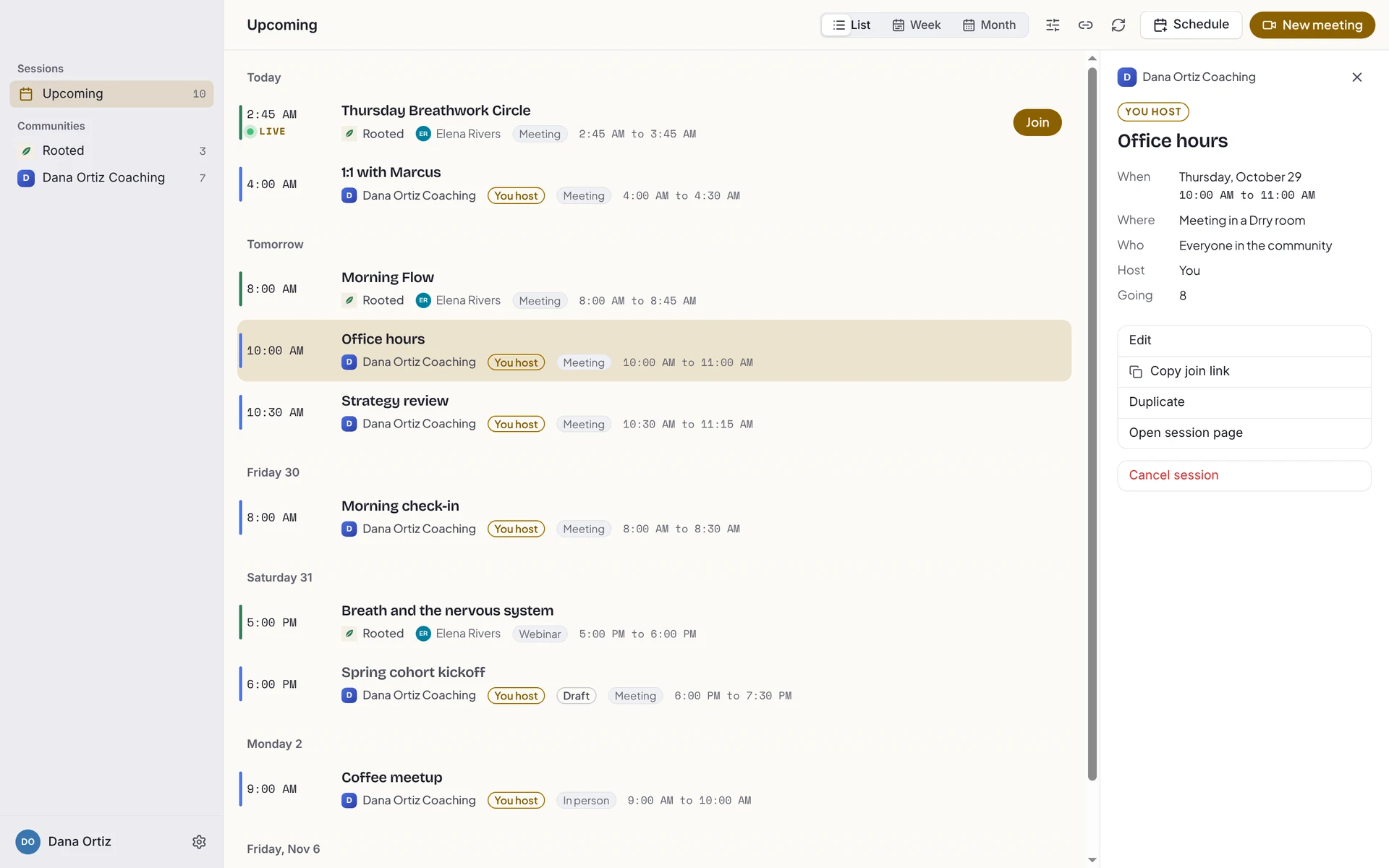
Every session from every community you run or belong to, in one calendar and one click from joining. Backgrounds, screen sharing, and a call that floats over your work.
Free, and it keeps itself up to date.

Best in the Drry Video app.
Drry Video is the room with a calendar around it, so nothing you join ever needs a tab. No app on this computer? The same room opens in Chrome.

- Every community's sessions in one calendar
- A notice five minutes before, and one click in
- The call keeps going in the menu bar or system tray when you close the window
- Open the session link and you are in the room
- The same backgrounds, chat and screen sharing
- Linux and Chromebooks too
Joining from Safari or Firefox? The join screen points you to Chrome, where the call runs smoother.
Everything the room does, plus the parts a browser cannot.
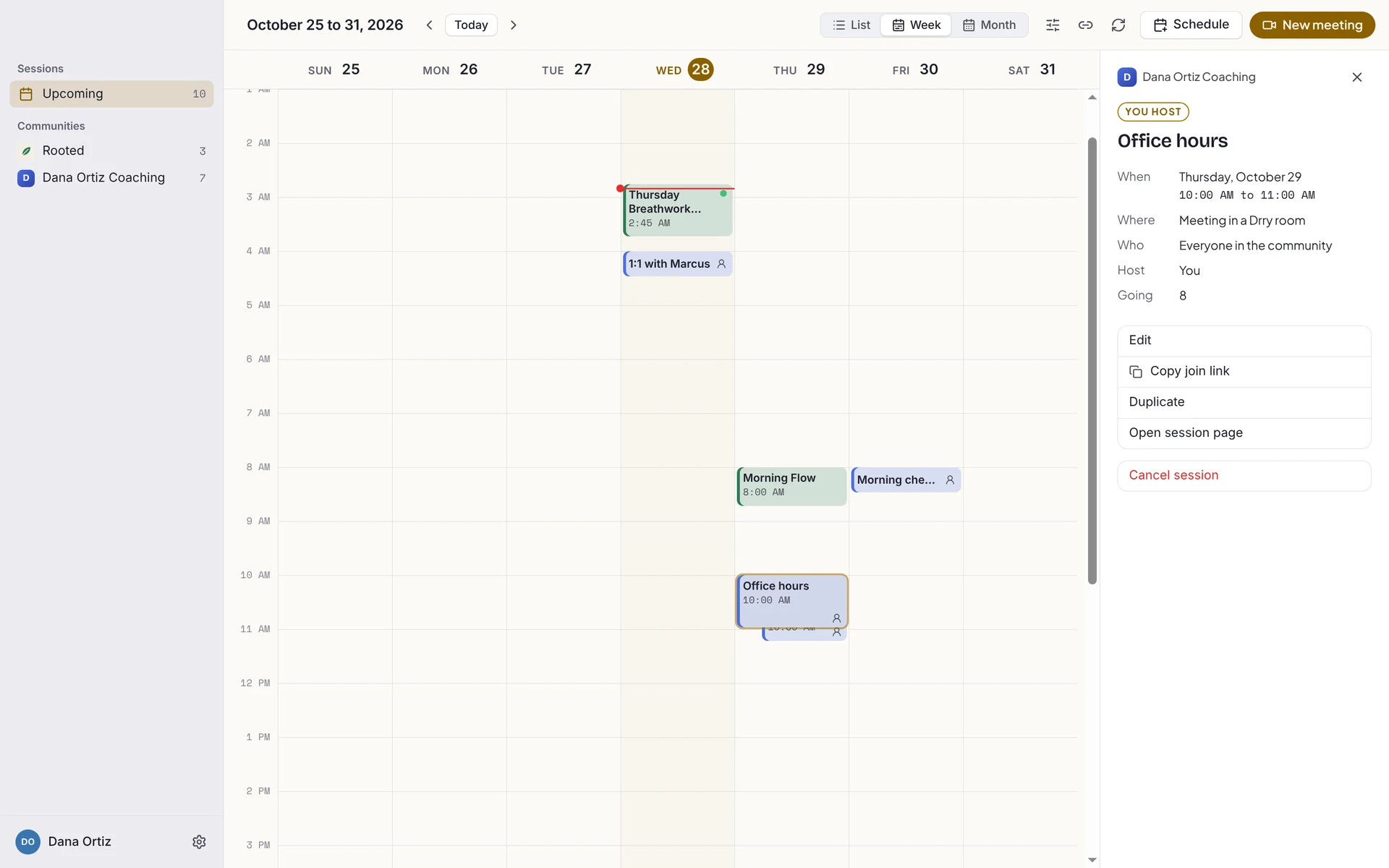
One calendar for every community
List, week and month, each community in its own colour. Hide one any time.
In with one click
A notice five minutes before it starts, and what is next always waits in the menu bar or system tray.
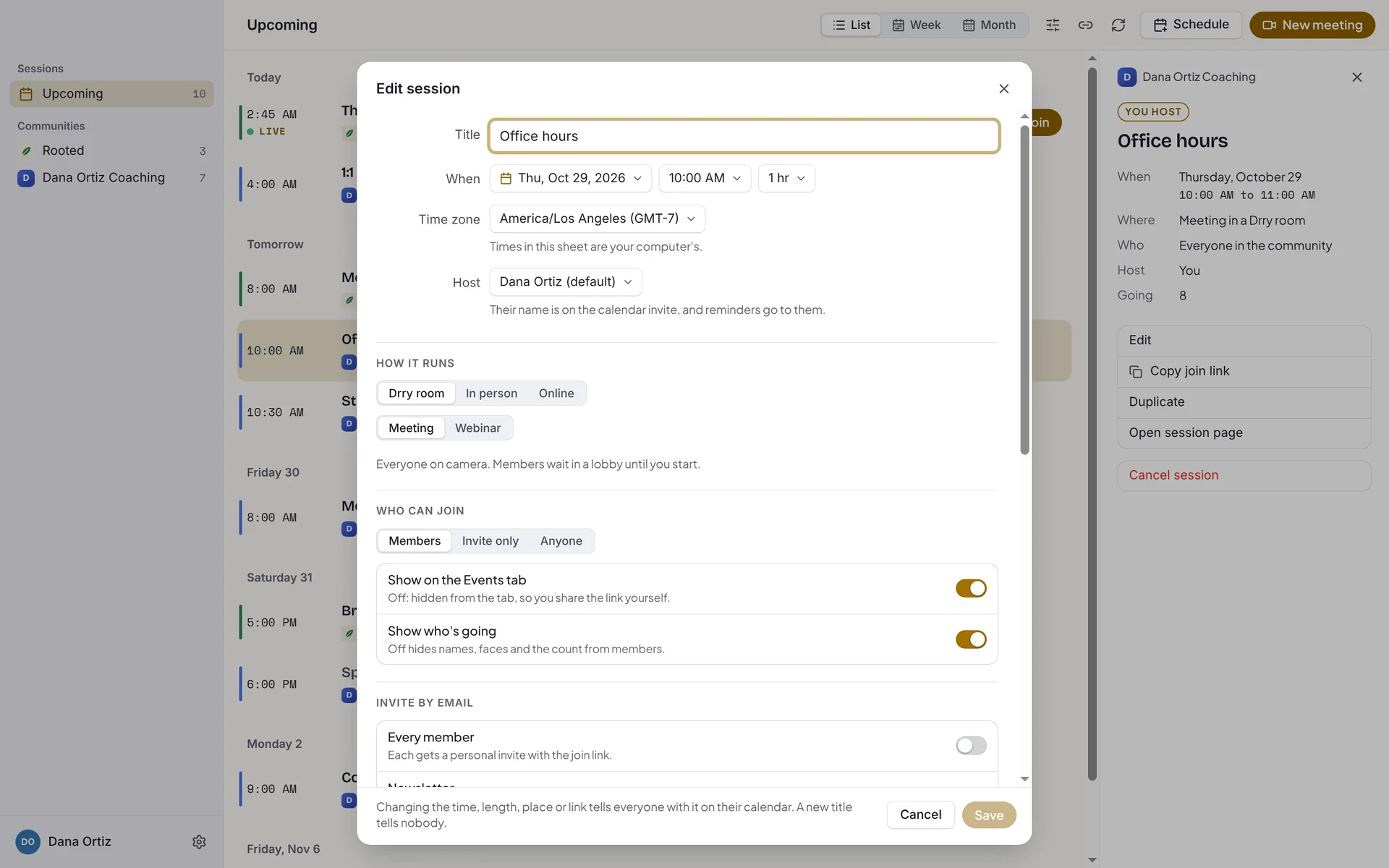
Host from the app
Start a meeting now, or schedule one with reminders, seats, recording and invites.
Backgrounds that flatter
Blur, soft gradients or a photo, previewed on your own camera before anyone sees.
Share and still see faces
Share a screen or a window and a strip of faces floats beside your work.
Keyboard first
Mute from any app, hold Space to talk, and press Cmd K (Ctrl K on Windows) for every command.
Nobody has to install anything to join you.
The app and the browser open the very same room. You can run every session from the app while a guest joins from a link in Chrome, and neither of you notices a difference.
 You, in Drry Video
Drry Video, answered.
Does Drry Video cost anything?
No. Drry Video is free to download. What you can host follows your community's plan, exactly as it does on drry.com.
Do my members need it?
No. Anyone can join from the session link in Chrome, with nothing to install. The app is for people who want every session in one place.
How do I sign in?
With your email and a one-time code, the same as on drry.com. A guest with a link can join with just a name when the host allows it.
Does it run on Windows?
Yes. It runs on Windows 10 and 11 (on an Arm PC, Windows 11), and on a Mac with Apple silicon or Intel.