A booking link that leads somewhere you own.
Publish your session types, share one link, and let people pick a time from the hours you actually keep. The booking lands on your own calendar as a real session, with the invite, the reminders, and the joining link already attached. Included on every plan, free ones too.
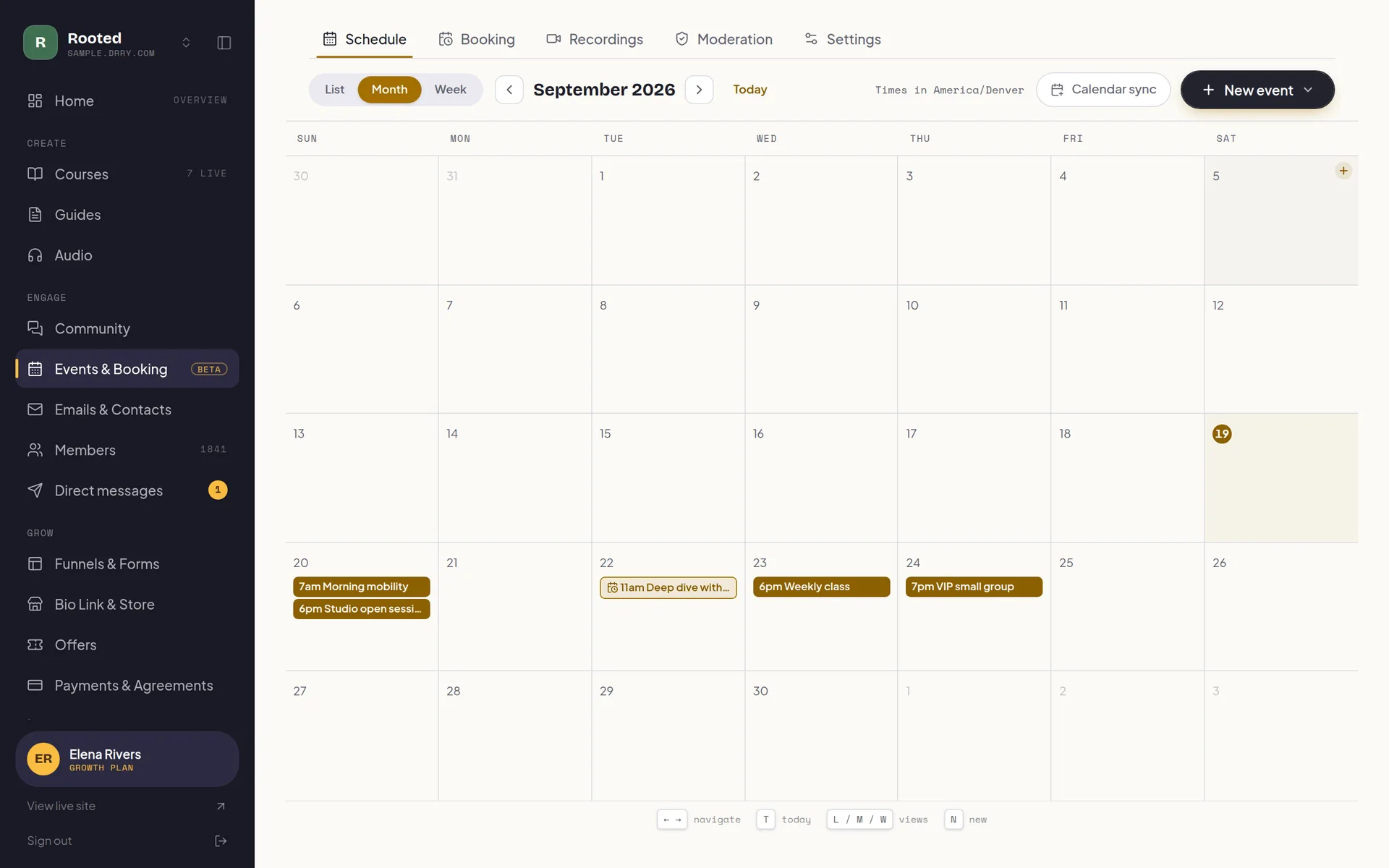
One more subscription, for one more link.
Scheduling is usually a separate tool with a separate bill, a separate login, and a booking page on a domain that is not yours. On Drry it is part of the calendar your community already runs on. 1 session type on the free plan, unlimited from Creator, and no cut of anything. The one thing that is metered is a session held in a Drry room, from Creator: it draws the participant hours your plan includes. A booking on your own meeting link or a Google Meet link draws nothing, on any plan.
You decide when you are bookable.
Set it once for the whole community, then override anything you want on a single session type. Sessions run 5 minutes to a full day, and each type keeps its own link so the intro call and the full session never share a page.
It is one calendar, so a webinar or a class you are already running closes its own hour here, with nothing to keep in step by hand.
The hours you actually work
Set your bookable hours day by day, and more than one range in a day when your mornings and your evenings are open but the middle of the day is not.
Days off, and odd days
Close a specific date entirely, or give that one date its own hours. A one-off replaces the weekly pattern just for that day.
Start times on your cadence
Offer a start every fifteen minutes even when the session runs forty-five, the way people expect a booking page to work. How often you offer a time is its own setting, separate from how long the session is.
Minimum notice
Nobody books you for twenty minutes from now. Set how much warning you need and anything closer than that never appears as an option.
Buffers either side
Leave a gap before every session to get ready, and after it so you are not walking out of one call and straight into the next one.
How far ahead
Choose how far into the future the page opens, up to 60 days, so your calendar is not committed for a season you have not planned yet.
Caps per day and per week
Three intro calls in a day and no more. Six in a week and no more. When the cap is hit, the day quietly stops offering times.
Your calendar blocks itself
Anything already on your Drry calendar, a class, a webinar, another booking, takes that slot off the grid. Nobody can book over your Tuesday workshop.
They move it themselves
A reschedule link in their confirmation, and in the calendar entry itself, opens your live availability. Every rule still applies, so they can only land somewhere you were already free, and the entry in their calendar moves instead of being cancelled and rebooked.
Their timezone, not yours
Times show up in the visitor's own timezone, with a picker to change it, and when their zone differs from yours the page says what those hours are for you too.
For a scheduling tool, the booking is the finish line.
Here it is the front door.
A standalone scheduler can hand you a time and an email address, because a time and an email address are all it has. Booking on Drry writes a real session onto the calendar your classes already live on, which means everything the calendar can do, the booking gets for free.
- The room
- Host the session in a Drry room instead of a third-party link, on Creator ($29/mo) and up: your own space, live chat, a record of who showed up, and recording when you press record. On Growth you also get a transcript and a written recap afterwards.
- The person
- Whoever booked becomes a contact in your list, not a line in a calendar app. So the follow-up email is a click away, and on Creator a journey can send the prep note and the after-the-call nudge without you touching it.
- The calendar
- It is one calendar. The booking sits beside your classes and webinars, is blocked by them, and rides the same subscribable feed you already point Google, Apple, or Outlook at.
One limit worth saying out loud: Drry reads busy time from Google Calendar, but not from Outlook or Apple yet. Your Drry calendar publishes out to both, and everything on it closes its own slot, but an appointment you booked there will not close a slot here, so publish the hours you can actually keep.
A scheduler books the call. Here it lands in your community.
Calendly and Cal.com are both strong standalone schedulers, and if picking a time is the whole job, either does it well. The difference here is where the booking goes afterwards: onto the same calendar, into the same room and the same contact list as the rest of your coaching, with paid sessions through your own Stripe and nothing taken from them.
| What you need | Calendly or Cal.com | Drry |
|---|---|---|
| A booking page | Calendly or Cal.comYes, and both are excellent at it. Calendly's free plan has one event type; Cal.com's has unlimited for one person. | DrryYes: 1 session type free, unlimited from Creator ($29/mo), at your own address. |
| Where the booking lands | Calendly or Cal.comIn your calendar app, with an email address attached. | DrryAs a real session on your community calendar, next to your classes and webinars, with the client added to your contacts. |
| Paid sessions | Calendly or Cal.comThrough your own Stripe or PayPal, with no platform fee on top. A paid plan on Calendly; free on Cal.com. | DrryThrough your own Stripe, 0% platform fee on every plan, with the slot held while they pay. |
| Where the call happens | Calendly or Cal.comZoom, Google Meet or Teams. Cal.com also includes its own video room. | DrryYour own link, a Google Meet made per booking, or from Creator your own branded room, recorded when you press record. |
| After the call | Calendly or Cal.comA follow-up email from a workflow, and the client goes back to wherever they came from. | DrryYour courses, community and email are in the same place, and on Growth AI notes can leave a transcript and a written recap of a call in your room. |
| Checking your other calendarsThey are stronger here | Calendly or Cal.comYes: Google or Outlook is read before a time is offered, so nothing double-books. | DrryGoogle, yes: connect it, pick the calendars that count, and busy times close their slots. Outlook and Apple are not read yet. |
| Teams and routingThey are stronger here | Calendly or Cal.comRound robin and routing forms on their team plans, to spread calls across people. | DrryOne host per session type. On Growth you can hand a type to one of your admins, but calls do not rotate. |
The whole comparison, row by row, is on Drry vs Calendly and Drry vs Cal.com. If you are still choosing a scheduler, our guide to the best Calendly alternatives weighs eight of them, with prices checked this month.
Booking, answered.
Is Drry a Calendly alternative?
Yes, for a coach whose clients are also their community: Drry gives you a booking page like a standalone scheduler, and the booking lands as a real session on your community calendar, with the room, the reminders and the person's contact record attached. It is free on every plan with 1 session type, and unlimited from Creator ($29/mo). Calendly is a strong standalone scheduler with more routing and team features than this; if scheduling is all you need, it does that job well. If you also run courses, a community or group calls, having the booking in the same place is the point.
How does Drry compare with Cal.com?
Cal.com is a standalone scheduler with one of the most generous free plans around: unlimited event types for one person, and payments at booking. Drry is a community platform with booking built in, so the booking lands next to your courses, community and email, paid sessions go through your own Stripe at 0% platform fee, and the call can run in your own room from Creator ($29/mo). Cal.com reads your Google or Outlook calendar before offering a time and can rotate calls across a team; Drry reads Google Calendar only, and does not rotate calls. If scheduling is the whole job, Cal.com is the better tool.
What exactly is a Drry booking page?
You publish session types (an intro call, a full session, a check-in), any length from 5 minutes to a full day, and each gets its own public page at your address: yours.drry.com/book for the list, plus a page per type. Someone picks a time from your open hours and books it. No account, no app, just their email. The free plan covers 1 session type and paid plans are unlimited.
How is this different from a standalone scheduling tool?
With a standalone scheduler, the booking is the end of the transaction: you get a calendar entry and an email address, and everything after that happens in other tools. Here the booking becomes a real session on the calendar you already run your classes from, the call can happen in your own branded room where you can record it, and the person who booked lands in your contact list so the follow-up is one click, or automatic. Same booking, but it leaves you something.
Where does the call actually happen?
Three choices, per session type. Paste your own Zoom, Meet, or Teams link and it goes out with every booking; have Drry mint a fresh Google Meet link per booking once you have connected your Google account; or host it in a Drry room, which is on Creator ($29/mo) and up. The first two work on the free plan, so a free coach can take bookings from day one, and they draw nothing from any allowance. A booking in a Drry room is different: it uses the participant hours your plan includes (20 a month on Creator, 50 on Growth), the same pool every Drry-hosted meeting draws, and you and your client each count, so an hour-long one-to-one is 2 participant hours.
Can I ask questions before the call?
Yes. Every booking collects a name and an email, and you can ask for a phone number as optional or required. If you want more than that, attach one of your Drry forms to the session type and the booker fills that in instead. Their answers land in that form's Responses alongside every other submission, so the intake for a call lives in the same place as the rest of your capture.
Does it check my other calendars?
It blocks against everything on your Drry calendar: classes, webinars, events you created, and other bookings all close their slot automatically. Connect Google and pick which of your Google calendars count, and busy times there close their slots too (Drry sees when you are busy, never what the event is), while your sessions are copied into a calendar of their own in your Google account. Outlook and Apple are not read yet: your Drry calendar publishes out to them through a subscribable feed, but an appointment you made there will not close a slot here.
Can I put the booking page on my own website?
Two ways. Copy the embed snippet and drop the picker into any site as an iframe that resizes itself to fit. Or add a booking section to a Drry funnel page, which puts the live picker straight into the page you are already sending traffic to.
What happens when someone needs to cancel?
Their confirmation carries a cancel link, and so does the calendar entry itself, which is where they will look a week later. One click marks the session cancelled, sends a cancellation to both of you so it disappears from both calendars, and reopens the time for someone else immediately. They are then offered your booking link again to pick a new slot.
Can someone move their own session without emailing me?
Yes. The same confirmation, and the same calendar entry, carry a reschedule link. It opens your live availability, so they can only land on a time you were already free, and every rule you set still applies: your notice period, your buffers, your daily cap. The existing calendar entry moves rather than being cancelled and rebooked, so nobody loses the slot in between, your reminders re-time to the new moment, and you are told it moved and by whom.
Can I charge for a booking?
Yes. Point a session type at one of your shop products and the booker pays for the time as they take it: they pick a slot, pay on the same page without ever leaving it, and the session is written once the payment clears. Your slot is held while they pay, so nobody else can take it, and it goes back on sale straight away if they walk off. A session type with no product stays free to book, which is exactly what you want for a discovery call. Drry takes 0% either way.
Start free. Pay only when you have grown.
No trial countdown, no card up front. The free tier carries you from your first member to a real, paying community.
Everything you need to open the doors and welcome your first members.
- 100 members
- Unlimited courses
- Unlimited guides: recipes, workouts, how-tos
- Unlimited audio streaming
- A members' library for files and downloads
- Community
- Event calendar, plus a booking page with 1 session type
- 1 funnel with view counts
- 1 capture form (waitlist, lead magnet, or contact)
- 5 GB storage
- Accept payments, 0% fee
- Bio link store: 10 digital products, 0% fee
- 1:1 and package payment links, one-time, 0% fee
- Up to $500 a month in earnings
- 700 emails a month
- New-content emails to members
- Automatic captions and transcripts
Your own domain, your own brand, and at-risk member detection: see who is quietly drifting away before they go.
- Everything in Free, plus:
- Your own .com, free one per account Terms apply
- Up to 3 communities on one plan, sharing one allowance
- Member retention dashboard
- White label your site (no Drry branding)
- Custom domain
- Unlimited members
- 50 GB storage
- Unlimited funnels and forms with conversion analytics
- Unlimited digital products in your store
- Unlimited session types on your booking page
- Drry-hosted meetings, 20 participant hours included each month
- Client payment plans, and signed agreements
- Free trials for new members
- 60,000 emails a month
- Email automations (welcome, nurture, win-back)
- Import your whole contact list from a CSV
- 90 days of analytics history
Room to scale: unlimited members and 1 TB of storage, with AI moderation and team seats for the admins and editors who help you run it, so it never has to run by hand.
- Everything in Creator, plus:
- Membership tiers: sell up to 3 levels from one community
- 200,000 emails a month
- Webinars, plus 50 participant hours and 150 viewer hours each month
- AI meeting notes: a transcript and a written recap
- White label your email (send from your own domain)
- Private podcast feeds
- 1 TB storage
- AI community moderation
- Team access
- Full analytics history
- Your own Meta, Google and TikTok pixels
We never take a cut of your member payments, you keep 100%. You only pay Stripe's standard card fee (about 2.9% + 30 cents), the same fee any business pays.
Custom Plans
Need more members, custom support, or help migrating off another platform? Tell us what you are running and we will put a plan together around it.
Open your calendar. Fill it.
Publish your first session type this afternoon, free and with no card, and share the link before dinner. Your community, your courses, and your calendar all live at the same address.