A Zoom alternative
that lives in your community.
Put the call on your community calendar and your members join it from there, with no link to paste and nothing to install. The calendar, RSVPs and reminders are free on every plan. Calls hosted inside your community start on Creator, at $29 a month with 20 participant hours included.
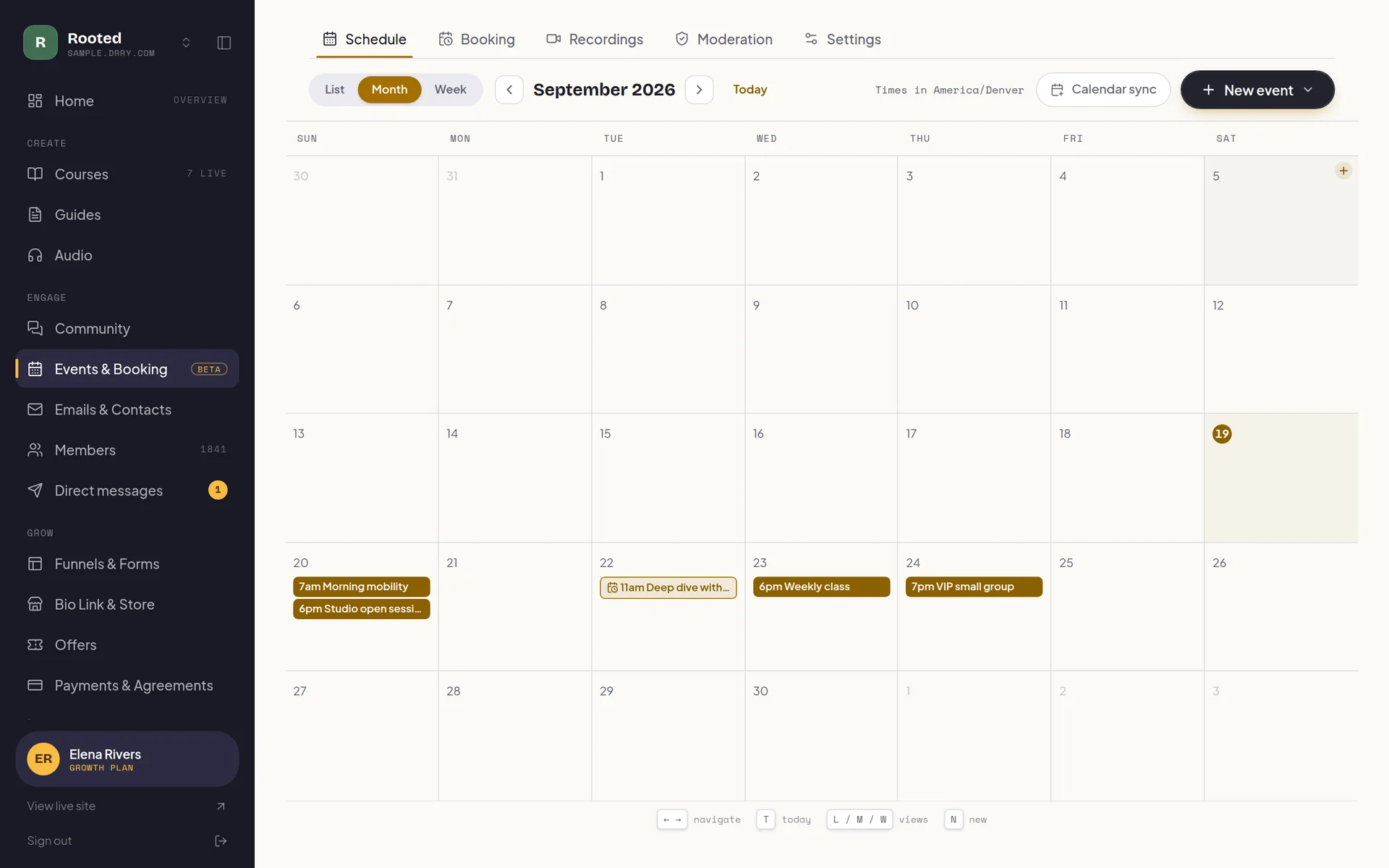
The call happens where your members already are.
A meeting link lives outside your community: in an email, a calendar invite, a pinned post somebody has to scroll back to find. It gets forwarded, it goes stale, and the five minutes before a call are spent answering “where is the link?”
Here the session is on the community calendar, the reminder points back at it, and the Join button opens the room on the same page. The door checks access the way the rest of your community does, so on a paid community the people in the call are the people paying for it.
Schedule, remind, meet, replay.
One event carries the invitation, the reminders, the room, the recording and the notes. Clients book their own time on your booking page, and when a session outgrows a room it becomes a webinar on the same calendar.
A calendar, free
In-person meetups, online sessions and outside events on one community calendar, on every plan. Already on Zoom or Meet? Paste the link and keep going.
RSVPs and reminders
Members RSVP in a click and get an invite for their own calendar, then reminder emails before it starts. You get a private feed for Google, Apple or Outlook.
Join from the calendar
A session hosted in your community shows a Join button on it. Nobody hunts through their inbox for a link, and only people with access get in.
Private sessions
Invite a list instead of the whole community. An invitee can join without a membership, which is how a free intro call works, or you can require one.
Share and chat
Share your screen, keep the chat running beside the call, and move between speaker and grid as the conversation changes.
Record it
Press record and everyone in the room is told. Afterwards you choose who can watch the replay, from nobody but you to anyone with the link.
AI meeting notes
On Growth, a call comes back with a transcript and a written summary. Nothing joins the room to take them, so nobody is watched by a bot.
A booking page
Publish session types and let clients pick a time: 1 session type on the free plan, unlimited session types from Creator. Each booking lands on the same calendar.
Counted in hours, explained in plain words.
Meeting tools usually charge per host, whether you run one call a month or thirty. Here the hours come with the plan you are already on for your courses, your community and your email. A participant hour is one person in a call for an hour, you included, and recording and chat draw nothing.
Past your allowance nothing bills unless you switch extra usage on and choose a cap. Leave it off and calls simply pause until the allowance resets, with a 5-minute wind-down for any session still running.
About a weekly hour-long call with 5 people in it, you included.
About a weekly hour-long call with 12 people in it, you included.
Drawn only by the people watching a webinar.
Past an allowance nothing bills unless you switch extra usage on and set your own cap. Then it is $0.75 a participant hour and $0.15 a viewer hour, and it stops at your cap: up to $100 a month on Creator, $300 on Growth.
Nobody gets cut off
mid-sentence.
When a call can no longer continue, because the hours are used or the cap is reached, it does not end on the spot. You get 5 minutes and a clear countdown to finish the thought and say goodbye. Ending the call is your decision, not the meter.
- Host only
- The 5-minute notice and its countdown are shown to you and your admins. Members never see a word about hours or billing, and when it ends they see the ordinary "this session is over" screen.
- Warned early
- You hear about it at 90% of your included hours, and at 80% of your spending cap, so there is time to raise the cap or plan around it.
- No surprise
- Wind-down minutes are never billed past your cap, and not at all unless you have switched extra usage on.
Meetings, answered.
Is this a replacement for Zoom?
For the calls you run with your community and your clients, yes: the session sits on your calendar, your members join it from there, and the recording stays with the rest of your content. It is not trying to be a meeting tool for a whole company. If you would rather keep the tool you have, the calendar, RSVPs and reminders are free on every plan and a pasted Zoom or Meet link works fine.
Which plan do I need?
The calendar, RSVPs, reminders and a booking page with 1 session type are free. Calls hosted inside your community start on Creator at $29 a month, with 20 participant hours included, up to 25 people in a call, recording, and unlimited session types. Growth, at $99 a month, raises that to 50 participant hours and 100 people in a call, and adds AI meeting notes and webinars with 150 viewer hours.
What is a participant hour?
One person in a call for one hour, you included. An hour-long one-to-one is two. So 20 hours is 10 one-to-ones a month, or about a weekly hour-long call with 5 people in it, and 50 hours is about a weekly call with 12. Recording and chat draw nothing. Every Drry-hosted meeting and booking draws the same allowance, and a webinar's presenters do too; the people watching a webinar draw viewer hours instead.
What happens when I run out of hours?
With extra usage off, a new session cannot start until your allowance resets, and one already running gets 5 minutes to wrap up. Only you and your admins see that notice and the countdown; your members see nothing until the session ends. With extra usage on, calls carry on at $0.75 a participant hour ($0.15 a viewer hour for a webinar audience) until they reach the cap you set, then wind down the same way. You are never charged past your cap.
How does the spending cap work?
Extra usage is off until you turn it on, and turning it on means choosing a cap. The most you can set is $100 a month on Creator and $300 on Growth. The same cap covers extra email sends, so it answers one question: what is the most this month can cost me beyond the plan.
Do my members need to install anything?
No. The call runs in the browser, inside your community, and members sign in the way they already do. There is no separate account to make and no app to download on either side.
Can I run bigger sessions?
Yes, on Growth. A webinar puts a stage of up to 5 people on camera in front of a watching audience, with raised hands, live chat and a registration page, on the same calendar as your calls.
Start free. Pay only when you have grown.
No trial countdown, no card up front. The free tier carries you from your first member to a real, paying community.
Everything you need to open the doors and welcome your first members.
- 100 members
- Unlimited courses
- Unlimited guides: recipes, workouts, how-tos
- Unlimited audio streaming
- Community
- Event calendar, plus a booking page with 1 session type
- 1 funnel with view counts
- 1 capture form (waitlist, lead magnet, or contact)
- 5 GB storage
- Accept payments, 0% fee
- Bio link store: 10 digital products, 0% fee
- 1:1 and package payment links, one-time, 0% fee
- Up to $500 a month in store and payment link sales
- 700 marketing emails a month
- New-content emails to members, unmetered
- Automatic captions and transcripts, unmetered
Your own domain, your own brand, and at-risk member detection: see who is quietly drifting away before they go.
- Everything in Free, plus:
- Member retention dashboard
- White label your site (no Drry branding)
- Custom domain
- Unlimited members
- 50 GB storage
- Unlimited funnels and forms with conversion analytics
- Unlimited digital products in your store
- Unlimited session types on your booking page
- Drry-hosted meetings, 20 participant hours included each month
- Client payment plans, and signed agreements
- 60,000 marketing emails a month
- Email automations (welcome, nurture, win-back)
- 90 days of analytics history
Room to scale: unlimited members and ten times the storage, with AI moderation and team seats for the admins and editors who help you run it, so it never has to run by hand.
- Everything in Creator, plus:
- Membership tiers: sell up to 3 levels from one community
- 500,000 marketing emails a month
- Webinars, plus 50 participant hours and 150 viewer hours each month
- AI meeting notes: a transcript and a written recap
- White label your email (send from your own domain)
- Private podcast feeds
- 500 GB storage
- AI community moderation
- Team access
- Full analytics history
- Your own Meta, Google and TikTok pixels
We never take a cut of your member payments, you keep 100%. You only pay Stripe's standard card fee (about 2.9% + 30 cents), the same fee any business pays.
Custom Plans
Need more members, custom support, or help migrating off another platform? Tell us what you are running and we will put a plan together around it.
Meet where your community lives.
Start with the calendar, free and with no card. Bring the call inside on Creator the day you are tired of pasting links.