The webinar platform
your members already have.
Broadcast from a stage of 5 to an audience of up to 10,000, on your own address and in your own colours. They register, they watch, they raise a hand, and afterwards they are in your own contact list rather than in somebody else's export. On the Growth plan, at $99 a month.
Priced by the hour you use, not by the size of your list.
Webinar tools usually price on how many people are allowed in the room, so the bill goes up the month before the revenue does, and the seat count you are paying for is a guess about an audience you have not drawn yet. Here it is hours, and the hours come with the plan you were already on for your courses, your community and your email.
The people watching draw viewer hours, which is a meter of their own, so the part that scales with a good turnout is priced on its own terms. Your presenters draw participant hours, the same allowance every Drry room draws, so a stage of 5 costs 5 an hour whether it is a webinar or a workshop. Recording, live chat and transcription draw neither.
Everyone watching, counted by the hour.
Everyone in a Drry room, presenters included, counted by the hour.
Past either, nothing bills unless you switch metered hours on and set your own ceiling. Then it is $0.15 a viewer hour and $0.75 a participant hour, and one ceiling covers both.
Invite, broadcast, replay, offer.
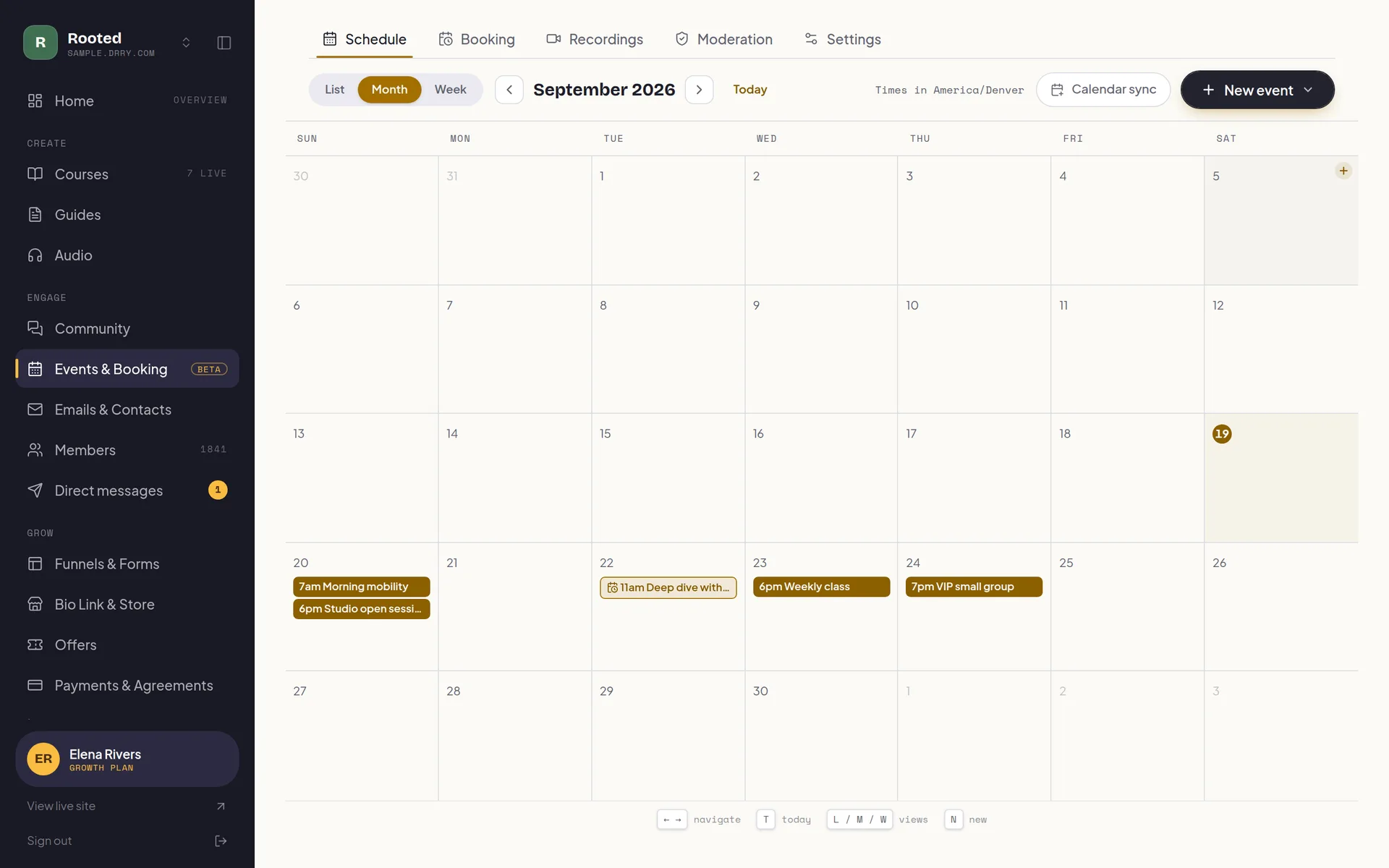
One event on your calendar carries the registration page, the reminders, the live room, the chat, the recording and wherever you send people afterwards. Nothing to wire up between four tools that have never met, and the hour it takes closes itself on your booking page so nobody books a call over it.
A stage, not a grid
Up to 5 people on camera. Everyone else watches, so an audience of thousands stays a show rather than a wall of faces.
You direct it
Auto follows the room, or take the switch yourself: speaker, grid, or the shared screen, large. The audience sees the edit you chose.
Hands go up
Someone watching can ask to speak. Approve it and they arrive on stage in one of your seats, turn it down, or take them back off when the question is answered.
Chat you can run
Live chat through the session, muted or cleared as you go. An admin can moderate from backstage without joining the broadcast or appearing on it.
A real invitation
A branded registration page on your own address, RSVPs, reminder emails, and a calendar feed your Google, Apple, or Outlook already subscribes to.
Charge for a seat
Put a price on it and the registration page sells the seat. The money goes through your own Stripe account, Drry takes 0% of it, and the ticket is bound to the person who bought it.
The replay is yours
Record it, then choose who can watch: nobody but you, your community, the people who registered, your invitees, or anyone with the link. Copy it into a course when it deserves to stay.
Sell while it runs
Up to 3 cards under the video, changeable while you are live: a product, a one-to-one session or a form opens over the broadcast, so nobody leaves to buy, book or sign up. When it closes, guests land where you sent them.
How to choose a webinar platform.
Most roundups of the best webinar platforms compare feature lists. For a coach, six questions decide it, and they are worth asking of every option, this one included.
Audience size and metering
Is the price set by a seat count you have to guess in advance, or by what a session actually uses?
DrryHere it is viewer hours, 150 a month on Growth, drawn only by the people watching, and you set each event's seat limit yourself.
Registration and reminders
Does it come with a registration page and reminder emails, or do those need another tool?
DrryA branded registration page on your own address, RSVPs, reminder emails and a calendar feed, all on the event itself.
Replay
Where does the recording go, and can you choose who watches it?
DrryPrivate to you, your community, the people who registered, your invitees, or anyone with the link. Or copy it into a course.
Selling seats
Can you charge for a seat, and how much of the ticket does the platform keep?
DrryTickets go through your own Stripe account, and Drry takes 0%.
Stage size
How many people can be on camera at once, and can someone in the audience be brought up?
DrryA stage of 5, with raised hands that bring a viewer onto it when you approve them.
Cost at scale
What does a month of good turnout cost, and is there a ceiling you control?
DrryNothing past the plan unless you switch metered hours on and set a ceiling; then $0.15 a viewer hour, and it stops at your cap.
You pay for the hours people watch.
Growth is $99 a month and includes 150 viewer hours. A viewer hour is one person watching for one hour, so the allowance is spent by the people who turn up, not by the size of room you might fill.
Past it, nothing bills unless you switch extra usage on and choose a cap, up to $300 a month on Growth. Then it is $0.15 a viewer hour, and it stops at your cap. Leave it off and a broadcast that uses up the allowance gets a 5-minute wind-down instead of a bill. One broadcast admits up to 10,000 viewers; what a month can carry at the highest cap is up to about 2,150 viewer hours, and past that, ask us.
Comparing vendors? Our webinar pricing comparison lines up what the main vendors charge, and Zoom pricing covers Zoom plan by plan.
One hour-long webinar, as the month's only live session
- 300 viewers
- 300 people for an hour is 300 viewer hours, 150 past the 150 included. At $0.15 each that is $22.50, so the month costs $121.50. That needs extra usage switched on; with it off, the included hours run out about 30 minutes in.
- 1,000 viewers
- 1,000 people for an hour is 1,000 viewer hours, 850 past the 150 included. At $0.15 each that is $127.50, so the month costs $226.50.
- Against Zoom
- Zoom Webinars is $89 a month and needs a Pro licence at $16.99, so $105.99 billed monthly, as checked October 2026. For the video alone, Zoom is cheaper for a single 300-viewer webinar, by $15.51. Its $89 is the entry capacity tier, for up to 300 attendees, and larger rooms pay more: Zoom lists tiers up to 5,000 attendees and quotes above that. The Drry figure also pays for your community, your courses and your email.
A broadcast you can
actually talk back to.
A composited stream reaches its audience several seconds behind the room, which is long enough that answering a question live quietly stops working. Here the audience pulls the live tracks straight from the room instead, so a raised hand and its answer land in the same conversation, and it arrives inside your own community rather than on a player with somebody else's name on it.
- Same breath
- Viewers pull the live tracks directly rather than waiting on a composited stream, so a raised hand is answered in the same breath it was raised.
- Yours
- Your address, your colours, your fonts, your wordmark. The registration page, the watch page and the replay all look like you, not like us.
- Joined up
- Anyone who registers with an email lands in the same contact list as everybody else you know, whether or not they ever join, so the follow-up is a click and not an export.
Webinars, answered.
What is the best webinar platform for coaches?
For a coach who sells courses or a membership, the best webinar platform is one where the webinar, the registration list and the offer after it live in the same place as your community, which is what Drry is built for. You broadcast from a stage of 5 to an audience of up to 10,000, on your own address, and everyone who registers lands in the contact list you already email from. It is on Growth, at $99 a month, with 150 viewer hours included. If you only ever run one-off public webinars and have nothing to sell afterwards, a standalone webinar tool may suit you just as well.
Is there a free webinar platform?
Not here: webinars are on Growth, at $99 a month. What the free plan does include is the community calendar, with RSVPs and reminder emails (they count toward the plan's monthly emails), so a free coach can put a session on the calendar with a Zoom or Meet link pasted in and still have the invitation and the reminders handled. Calls hosted inside your community start on Creator, and the webinar format, with a stage and a watch-only audience, is the Growth step up.
Which plan includes webinars?
Growth, at $99 a month. Creator includes live meetings in a Drry room, where everyone is on camera and the room holds up to 25 people on Creator and 100 on Growth; the webinar format, with a small stage and a watch-only audience, is the Growth step up. On Creator the webinar option is shown in the event editor locked, with what it would give you, rather than hidden. On the free plan the hosted-room option is shown the same way, locked behind Creator, so the formats you can actually pick are an in-person event or a link to a meeting you run elsewhere.
How many people can watch?
Up to 10,000 in one broadcast, and you set the seat limit on each event yourself. The stage is the part that is fixed: 5 people on camera at once, with everybody else watching rather than joining, which is exactly why the audience can be so much larger than a meeting's. What a month can carry is set by viewer hours rather than by the ceiling: 150 are included, and up to about 2,150 at the highest spending cap Growth allows. If you need more than that, ask us.
Do people need an account, or something to install?
It runs in the browser, on the page, with nothing to download on either side. For a public webinar you can let people in with a name and no account at all. Members sign in the way they always do, and a paid ticket always binds to a real account, because a seat somebody bought has to belong to somebody.
What does running one actually cost?
Nothing beyond the plan, until you are running a lot of them. Growth includes 150 viewer hours a month, which only the people WATCHING draw, and that is the number that moves when a webinar goes well. Your presenters draw participant hours instead, 50 a month, and that is the same allowance your one-to-ones and your bookings draw, so a busy month of calls leaves less of it for a stage. A stage of 5 costs 5 participant hours an hour. Recording, live chat and transcription draw neither meter. Past an allowance nothing bills at all unless you switch metered hours on yourself and set a spending ceiling; then it is $0.15 a viewer hour and $0.75 a participant hour, so an hour of stage past the allowance is $3.75. One ceiling covers both, and it stops there.
Can I charge for a seat?
Yes. Turn on a ticket price and the event gets a public registration page that sells it. The money goes through your own Stripe account and Drry takes 0% of it, so what you keep is the ticket price less Stripe's own processing fee. You need payments connected before you can sell, which the settings page walks you through.
Can I sell something during the webinar?
Yes. Put up to 3 cards under the video, each with a short line and a button, and change them whenever you like, mid-broadcast included: everyone watching sees the change within seconds. A product's checkout, a one-to-one session's time picker and a form open over the video, so the viewer keeps watching while they buy, book or sign up. Any other card (a page, an offer, a payment link, an address of your own) opens in a new tab. Selling a product needs payments connected, and the money goes through your own Stripe account with Drry taking 0% of it.
What happens to the recording?
Switch recording on before you start and everyone sees a notice when it begins. Afterwards the replay appears wherever you point it: kept private to you, released to your community, to the people who registered, to your invitee list, or published to anyone with the link. You can also copy it into a course, which is usually the right home for a masterclass. Switch transcription on in the same place and the session comes back with a transcript and a written summary too.
Is this a separate product from the rest of it?
No, and that is the point of hosting it here. A webinar is one kind of event on the same calendar as your classes and your one-to-ones, so it blocks its own slot, rides the same reminders, and sends whoever registered into the same contact list you email from. When it ends you can put them on a landing page, an offer, or a payment link without exporting anything anywhere.
Start free. Pay only when you have grown.
No trial countdown, no card up front. The free tier carries you from your first member to a real, paying community.
Everything you need to open the doors and welcome your first members.
- 100 members
- Unlimited courses
- Unlimited guides: recipes, workouts, how-tos
- Unlimited audio streaming
- A members' library for files and downloads
- Community
- Event calendar, plus a booking page with 1 session type
- 1 funnel with view counts
- 1 capture form (waitlist, lead magnet, or contact)
- 5 GB storage
- Accept payments, 0% fee
- Bio link store: 10 digital products, 0% fee
- 1:1 and package payment links, one-time, 0% fee
- Up to $500 a month in earnings
- 700 emails a month
- New-content emails to members
- Automatic captions and transcripts
Your own domain, your own brand, and at-risk member detection: see who is quietly drifting away before they go.
- Everything in Free, plus:
- Your own .com, free one per account Terms apply
- Up to 3 communities on one plan, sharing one allowance
- Member retention dashboard
- White label your site (no Drry branding)
- Custom domain
- Unlimited members
- 50 GB storage
- Unlimited funnels and forms with conversion analytics
- Unlimited digital products in your store
- Unlimited session types on your booking page
- Drry-hosted meetings, 20 participant hours included each month
- Client payment plans, and signed agreements
- Free trials for new members
- 60,000 emails a month
- Email automations (welcome, nurture, win-back, abandoned checkout)
- Import your whole contact list from a CSV
- 90 days of analytics history
Room to scale: unlimited members and 1 TB of storage, with AI moderation and team seats for the admins and editors who help you run it, so it never has to run by hand.
- Everything in Creator, plus:
- Membership tiers: sell up to 3 levels from one community
- 200,000 emails a month
- Webinars, plus 50 participant hours and 150 viewer hours each month
- AI meeting notes: a transcript and a written recap
- White label your email (send from your own domain)
- Private podcast feeds
- 1 TB storage
- AI community moderation
- Team access
- Full analytics history
- Your own Meta, Google and TikTok pixels
- Webhooks to your own app for sales, new subscribers and form answers
We never take a cut of your member payments, you keep 100%. You only pay Stripe's standard card fee (about 2.9% + 30 cents), the same fee any business pays.
Custom Plans
Need more members, custom support, or help migrating off another platform? Tell us what you are running and we will put a plan together around it.
Fill a room you own.
Build the community first, free and with no card. Webinars are waiting on Growth for the day you have an audience big enough to need a stage.