The email list
you already own.
Your members and your leads are already here. Write a broadcast in blocks, pick exactly who gets it, and it lands in their inbox in your fonts, your colors, your voice. Built into every plan, even free. No export, no sync, no second invoice.
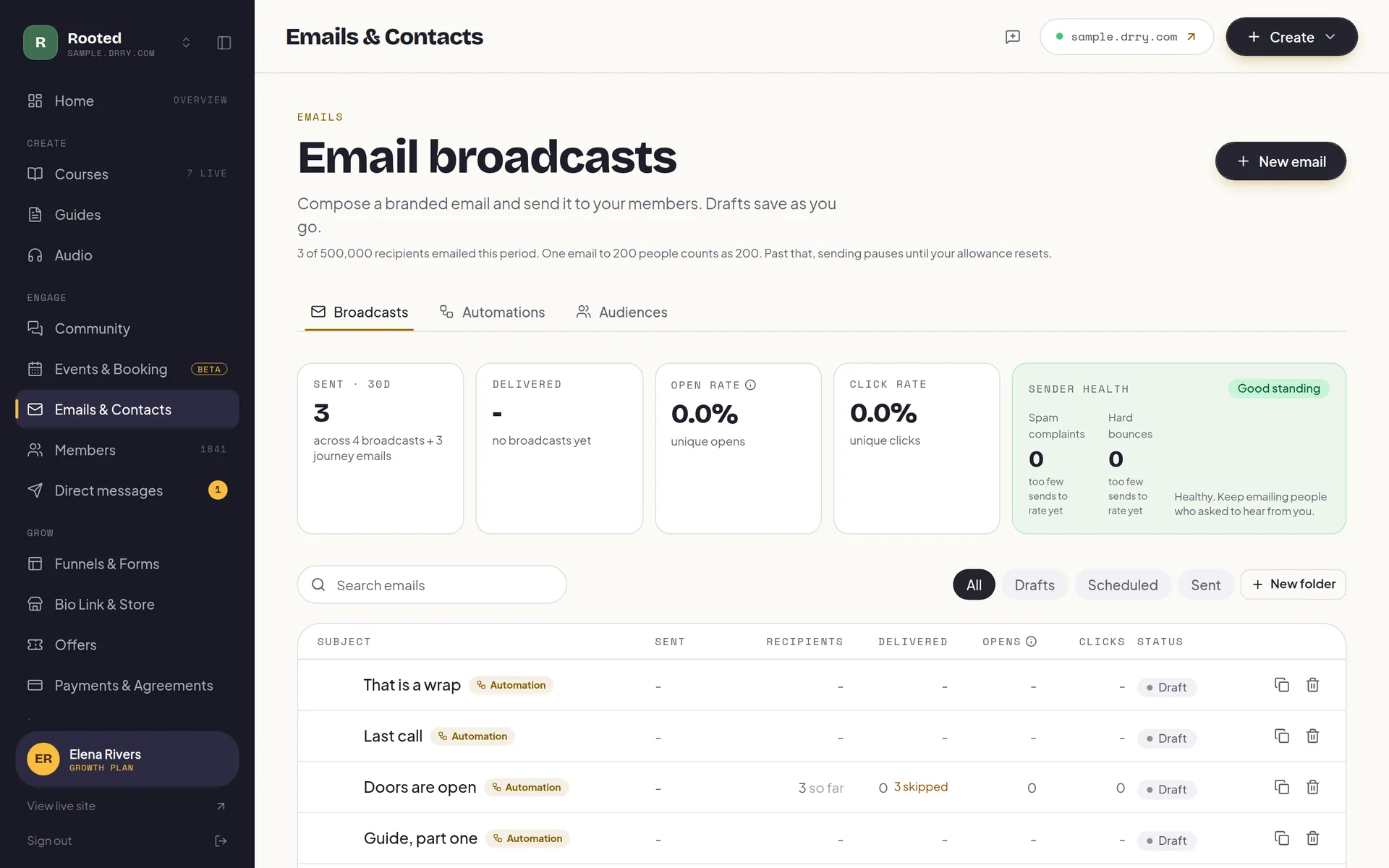
Your members are the list.
Standalone email tools price by the size of your list, so the bill climbs every month your audience grows. And they only ever see addresses. Drry's email knows your membership because it is the membership: every member and every form signup is already in your contacts, ready to write to.
Bring the list you already have: upload a CSV and we map the columns, check every address before it lands, and send anyone who unsubscribed in your old tool straight to your blocked list instead of importing them. Free imports up to 100 contacts. And you can export the whole audience whenever you like, on any plan including free.
The better you do, the more you pay.
700 recipient-sends a month on free, 60,000 on Creator and 200,000 on Growth. That count includes new-content emails, digests and the event invitations, announcements and reminders you send; sign-in codes, receipts, bookings and RSVP confirmations do not count.
Write it in blocks. Send it in your brand.
Stack the blocks, type your message, hit send. Headings, images, buttons, and content cards that pull in a course or a funnel with its cover art, so an email that used to take an evening takes ten minutes. Everything renders in your fonts and your accent color, because the email should look like the community it comes from.
Unsubscribe in one click
Hero image
A full-width opener that carries your brand before a single word is read.
Headings and text
Write like you talk. Headings, paragraphs, and emphasis, no HTML in sight.
Button
One clear ask, styled in your accent color, sized for a thumb.
Content card
Link a course or a funnel with its cover art, picked from a curated list of your own stuff. No pasted URLs.
Merge tags
Hey {{first name}} becomes Hey Maya. A greeting that reads like you wrote it to one person.
Branded footer
Added to every send automatically, with a working one-click unsubscribe. Compliance handled for you.
Everyone, a list, or exactly the right segment.
Every member and every form signup lands in your contacts on its own. Build lists you curate by hand and smart segments that keep themselves up to date, then pick the audience per send: the whole community, the spring waitlist, or the leads who have not joined yet. Your funnel forms feed it all directly, so a lead captured this morning is someone you can write to this afternoon.
Publish it, and the email writes itself.
Publish a course, a lesson, or an audio track and your members hear about it automatically, unless they have opted out. Drops are batched so nobody gets more than about one email a day, no matter how productive your week is. On every plan.
Set it up once. It nurtures on its own.
A welcome the moment someone joins an audience. The lead magnet delivered while they are still on the page. A gentle nudge when a member goes quiet. Build the journey once, trigger to email to branch, and every new person walks it automatically, in your brand, with the same one-click unsubscribe on every send.
Automations are on Creator ($29/mo) and Growth.
It sends like a team runs it.
Reaching the inbox is a job most coaches never signed up for. Your broadcasts go out on Drry's warmed sending infrastructure, the footer and one-click unsubscribe are added for you, and bad addresses are suppressed automatically, so your part stays the fun part: writing the email.
- Footer
- A branded footer with a working one-click unsubscribe is added to every send automatically. Compliance handled, nothing to configure.
- Suppression
- A hard bounce or a spam complaint suppresses that address automatically, so one bad address never drags down the rest of your sends.
- Brand
- Your fonts, your accent color, your logo, in the inbox. A member should never have to wonder who is writing.
- Your domain
- On Growth, connect your own sending domain (like mail.yoursite.com) and every email arrives from your address, not ours. We handle the DNS records, verification, and fallbacks.
The inbox questions.
Is email really included on the free plan?
Yes. Broadcasts, the block editor, audiences, and the automatic new-drops email are on every plan, including free. Free covers 700 recipient-sends per calendar month, Creator ($29/mo) 60,000, and Growth ($99/mo) 200,000. That count includes new-content emails, digests and the event invitations, announcements and reminders you send; sign-in codes, receipts, bookings and RSVP confirmations do not count.
What does the free quota actually cover?
The quota counts individual recipients per calendar month, not campaigns. Free's 700 covers one full broadcast to a small community with room to spare, or many smaller sends: seven emails to 100 people, or twenty-eight to 25. When you outgrow it, Creator raises the ceiling to 60,000 and Growth to 200,000. New-content emails, digests and the event invitations and reminders you send count toward it too.
What counts toward my monthly emails?
Every email you choose to send counts, once for each person it reaches: broadcasts, automations, form follow-ups, posts you email to members, new-content emails, digests, and the event invitations, announcements, reminders and go-live emails you send to your community, a list or people you invite. The emails that keep your community working do not count: sign-in codes, receipts, booking confirmations, RSVP confirmations, reminders to people who said they are coming, changes to a session someone is going to, and reply and mention notifications. If you run out, emails that do not fit are not sent and we tell you, unless you have switched on extra usage.
Can I email just a segment of my people?
Yes. Every member and every form signup lands in your contacts. From there you build lists you curate by hand and smart segments that update themselves, and you pick exactly who gets each send: everyone, one list, or one segment.
Do funnel signups land in my email audience?
Automatically. A waitlist, lead magnet, or contact form on any funnel page feeds your contacts directly, so the lead you captured this morning is someone you can email this afternoon, from the same place.
Can I send automated email sequences?
Yes, on Creator and Growth. Automations are journeys you build once: when someone joins an audience, finishes a course, or goes quiet, they enter a sequence of emails with waits and branches you control. Deliver a lead magnet the moment a form is submitted, welcome new members, win back the quiet ones. Every automated email still renders in your brand and carries the one-click unsubscribe.
Will emails look like my brand?
Yes. Every send renders in your fonts, your accent color, and your logo, the same brand your members see everywhere else. The branded footer and one-click unsubscribe are added for you.
Can I bring the list I already have?
Yes. Upload a CSV from Mailchimp, Kit, Kajabi or anywhere else and we map the columns for you, joining a split first and last name and reading a tags column if your file has one. Every address is checked before it lands: bad syntax, domains that cannot receive mail, and throwaway inboxes are refused, and you see exactly what was skipped and why before you commit. Importing is on every plan (Free imports up to 100 contacts in total); how many contacts you can hold depends on the plan, and members never count toward that.
What happens to people who unsubscribed in my old tool?
They stay unsubscribed. If your export has a status column we read it and add those people to your blocked list rather than importing them, so day one is not an email to everyone who already opted out. You can also upload an unsubscribe list on its own, and we will never email those addresses even if they arrive later in another import. That matters for you as much as for us: complaints follow your sending reputation first.
If I leave, can I take my contacts with me?
Any time, on any plan including free. Export your whole audience or just the segment you are looking at as a CSV, and your blocked list too, so the people who opted out stay opted out wherever you go next. Free and Creator cap how many contacts you can hold, and where a cap applies we think it is only defensible because you can walk out with them.
Do I still need Mailchimp or Kit?
For emailing your community, no. Standalone tools price by list size, live in a separate tab, and only ever see addresses; Drry's email knows your membership because it is the membership. If you run a large general-interest newsletter outside your community, a dedicated newsletter tool can still make sense.
Start free. Pay only when you have grown.
No trial countdown, no card up front. The free tier carries you from your first member to a real, paying community.
Everything you need to open the doors and welcome your first members.
- 100 members
- Unlimited courses
- Unlimited guides: recipes, workouts, how-tos
- Unlimited audio streaming
- A members' library for files and downloads
- Community
- Event calendar, plus a booking page with 1 session type
- 1 funnel with view counts
- 1 capture form (waitlist, lead magnet, or contact)
- 5 GB storage
- Accept payments, 0% fee
- Bio link store: 10 digital products, 0% fee
- 1:1 and package payment links, one-time, 0% fee
- Up to $500 a month in earnings
- 700 emails a month
- New-content emails to members
- Automatic captions and transcripts
Your own domain, your own brand, and at-risk member detection: see who is quietly drifting away before they go.
- Everything in Free, plus:
- Your own .com, free one per account Terms apply
- Up to 3 communities on one plan, sharing one allowance
- Member retention dashboard
- White label your site (no Drry branding)
- Custom domain
- Unlimited members
- 50 GB storage
- Unlimited funnels and forms with conversion analytics
- Unlimited digital products in your store
- Unlimited session types on your booking page
- Drry-hosted meetings, 20 participant hours included each month
- Client payment plans, and signed agreements
- Free trials for new members
- 60,000 emails a month
- Email automations (welcome, nurture, win-back)
- Import your whole contact list from a CSV
- 90 days of analytics history
Room to scale: unlimited members and 1 TB of storage, with AI moderation and team seats for the admins and editors who help you run it, so it never has to run by hand.
- Everything in Creator, plus:
- Membership tiers: sell up to 3 levels from one community
- 200,000 emails a month
- Webinars, plus 50 participant hours and 150 viewer hours each month
- AI meeting notes: a transcript and a written recap
- White label your email (send from your own domain)
- Private podcast feeds
- 1 TB storage
- AI community moderation
- Team access
- Full analytics history
- Your own Meta, Google and TikTok pixels
We never take a cut of your member payments, you keep 100%. You only pay Stripe's standard card fee (about 2.9% + 30 cents), the same fee any business pays.
Custom Plans
Need more members, custom support, or help migrating off another platform? Tell us what you are running and we will put a plan together around it.
Write it once. It lands in their inbox, in your brand.
Your community, your courses, and the email that keeps people coming back, in one place you own. Start free, no card, and send your first broadcast today.