The course is just
the beginning.
Unlimited courses on every plan, with your community and audio library living right beside them. Release lessons on a schedule, require the section before, and check they got it with a quiz. Auto-captions, chapters, and cross-device resume come as standard. One membership unlocks everything you make, and you keep 100% of it. Want levels instead? Growth sells up to 3 from the same community.
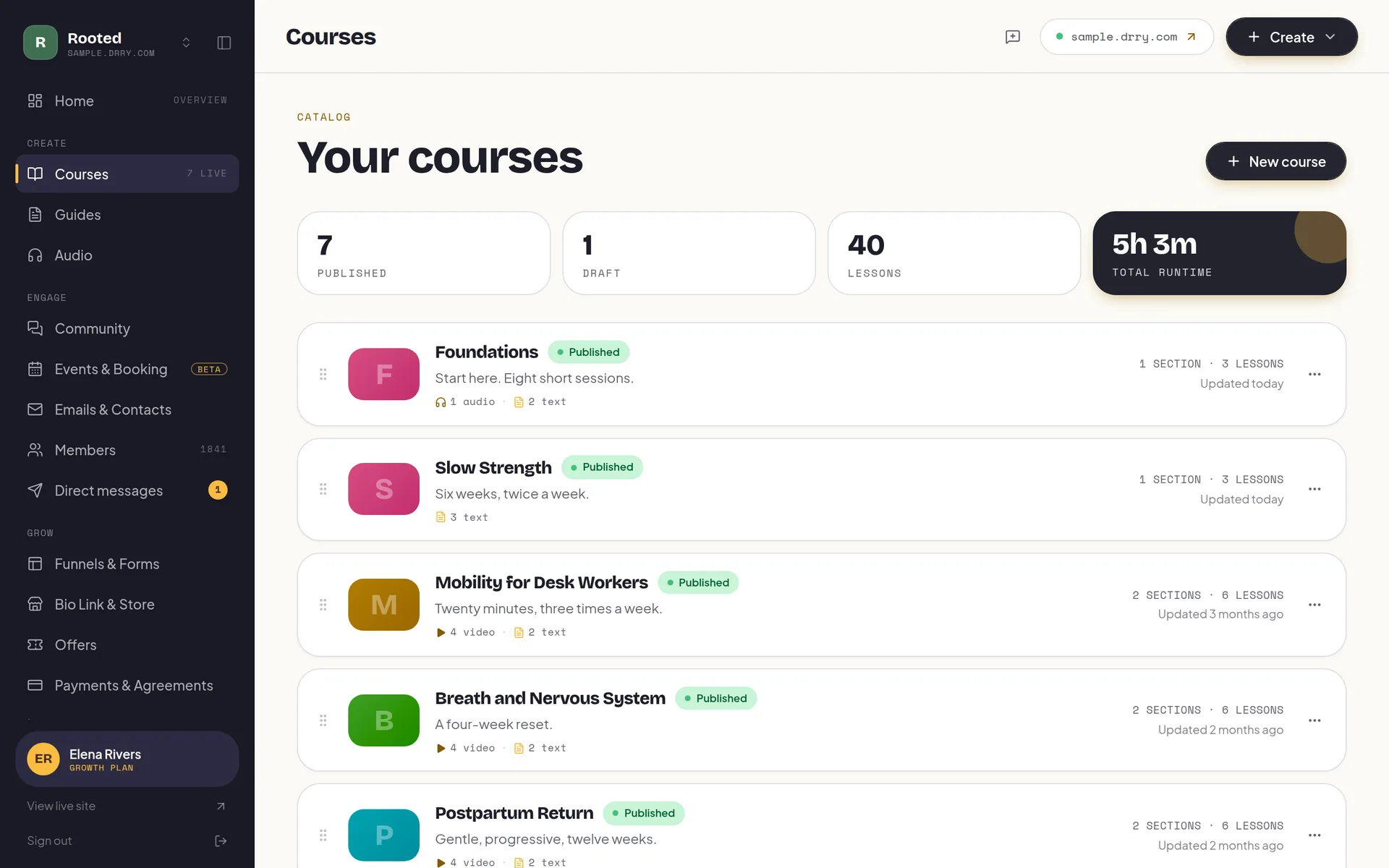
One membership. Everything you make.
A member joins once, at the price you set (or free), and gets all of it: every course, the conversation, the audio library. No cart with six SKUs, no upsell ladder to maintain. Every new thing you publish makes the same membership worth more, instead of becoming another thing to sell. And when one price stops fitting, Growth lets you sell up to 3 levels from the same community, with you deciding which courses, rooms and sessions each one opens.
Unlimited courses on every plan, even free. Video, rich text, quizzes, and downloads, in modules you drag into order and release when you choose.
Threads, replies, likes, and @mentions, right beside the lessons, so members finish together instead of alone.
An optional, renameable tab for meditations or sessions, with a player that keeps playing while members browse.
Upload the video. We do the rest.
Drop a video in from your browser, even a big one, and go make tea. Drry transcodes it for adaptive streaming, generates the poster frame, and remembers where every member left off, so the lesson just plays, on any connection, on any device.
Upload it, we stream it
Upload straight from your browser, big files welcome and resumable. Drry transcodes every video for adaptive streaming, so it plays crisp on any connection, and pulls a poster frame for you.
Captions, written for you
Every lesson video is transcribed automatically, and the captions are one tap away on the player's CC button. The machine mishears your vocabulary the same way every time, so the wording is yours to correct once, in the editor. Audio lessons go further: their transcript is a panel members can search, with every line a tap to that second.
Chapters you name yourself
Mark the moments a long lesson turns: the warm-up, the demo, the common mistake. Members jump straight to the part they came back for instead of scrubbing for it.
Picks up where they left off
The place is saved on our side, not in one browser, so a member who starts on the laptop finishes on the phone at the exact second they stopped.
Their pace, their bandwidth
0.75x for the technical part, 2x for the recap, and on most browsers a manual quality switch for the train. The speed they pick sticks for the next lesson on that device.
Lessons that read well
Not everything wants to be a video. Write lessons in a real editor, with headings, lists, and links, and mix them freely with your video ones.
Worksheets ride along
Attach the workbook, the PDF, the template. Any lesson carries up to 10 downloads, right where the member needs them.
Arrange it by hand
Drag modules and lessons into order, pick a cover color, and edit titles right where they sit. The course looks how you meant it.
Publishing tells your members
Publish a lesson and Drry can email your members for you, batched so nobody gets more than about one a day. On every plan.
Give it to them in order.
Handing someone forty lessons on day one is how they finish none of them. So decide when each lesson opens: a number of days after they join, a fixed date for a cohort, or the moment they finish whatever it depends on, which can be one lesson or several. Sections release the same way, and a whole course can wait on another course being completed, with a pause after it if the practice needs a week to settle.
- By the clock
- Open a lesson or a whole section a set number of days after someone joins, so a 12-week program stays 12 weeks long no matter when they arrive.
- On a date
- Or pin it to a real calendar date, for a cohort that starts together and moves together.
- In order
- Name the lessons a lesson requires, as many as it takes, or require the whole section or course before it. Meet the last one and the next thing opens on the spot, no reload.
- Then a pause
- Add days after the last of those is done, so the practice week actually happens before the next lesson lands on it.
All of it is free, on every plan, because pacing is how a course gets finished and not a feature to hold hostage.
The lock is on our side of the wire.
A padlock icon is not a lock. On Drry a locked lesson is refused where it matters: the video will not issue a playback token, the attachments will not download, the transcript will not return a word, and a quiz the member has not reached will not accept an attempt. The lesson's body, its media links, and even its chapter titles are stripped out of the page before it reaches the browser, so there is nothing in the source to find and nothing to replay. Your week-six material stays week-six material.
Which counts belong to the 4-7-8 pattern?
You finished Foundations of Breathwork. Section 3 just opened.
Check they got it.
A quiz is just another kind of lesson here. Write the questions, mark one right answer or several, and set the score it takes to pass. Multi-answer questions want the exact set, so a lucky guess at one of three does not count. Members can retake as many times as they need and every attempt is kept, and the headline they see on a pass or a miss is yours to write, not ours.
Because a quiz can be the prerequisite for what comes next, this is also the gate: pass it and the next lesson opens on the spot, no reload, no waiting on anybody. And when the last lesson is done, members land on a completion moment you wrote, with a button that sends them to the next course, into your community, or anywhere you like.
Finishing happens in public.
A course library alone is quiet, and quiet is where members drift. On Drry the community feed lives beside your lessons: threads, replies, likes, @mentions, and member profiles, all under your brand. When someone posts their week-two win, the members who were stalling start again. Course-only platforms bolt community on as an afterthought; here the course and the conversation are one system, one login, one membership.
On Growth, AI moderation screens new posts against your rules and holds anything that crosses them for your review, so the space stays yours even while you sleep.
Finished the sleep module last night. First full night in months.
Jonah replied: so proud of you @maya, week two is where it clicked for me too.
Know who is showing up.
Course-only platforms treat real analytics like a luxury and save it for their top tiers. On Drry it comes with Creator, at $29 a month: who is showing up, which content people love, how many finish each course, where a lesson loses them, and who is quietly drifting away. Creator can wind the dashboard’s range back 90 days; Growth has no limit. The per-lesson fall-off curve is the one exception: it reads a fixed recent window on both.
- Finish
- How many members complete each course, not just how many joined, so you know which one actually carries people through.
- Fall-off
- Where a lesson loses people, ten slices deep, so you can see it is minute eight of the long one and go fix minute eight. This one reads a fixed recent window rather than your chosen range, so it always shows how the lesson is landing now.
- Love
- Which lessons and posts people keep coming back to, so you make more of what lands and retire what does not.
- Drift
- Who is quietly going missing, weeks before they would have cancelled, so the check-in comes from you and not from a churn report.
Before you upload your first lesson.
Can I drip content, or does everything unlock at once?
You can drip it, and the drip is per lesson or per section. Open something a set number of days after a member joins, on a fixed calendar date, or a set number of days after they finish what it depends on. That last one is the flexible mode: name the lessons a lesson requires, however many, and the clock starts when the last of them is done. Name none and it simply follows the lesson before it. A section can also wait for the previous section to be completed. Mix the modes freely inside one course, and it is free on every plan, including Free.
Are quizzes included?
Yes, and on every plan. A quiz is a lesson kind: write multiple-choice questions with one correct answer or several (a multi-answer question needs the exact set, no partial credit), set the score needed to pass, and write your own wording for the pass and the fail. Members can retake, and every attempt is recorded. Pass a quiz that something else depends on and the next lesson opens immediately, without a reload.
Does Drry issue completion certificates?
No. There are no certificates, badges, or credentials in Drry, and we would rather say so than let you find out later. What you do get at the end of a course is a completion moment you write yourself, with a button that can send members to the next course, to your community, or to any link you choose.
Are locked lessons actually locked, or just hidden?
Actually locked. The lock is enforced on our servers, not drawn in the browser: a locked lesson's video, its attachments, and its transcript are all refused, and the lesson's content and media links are stripped out of the page before it is ever sent to the member's device. There is nothing to find in the source and nothing to replay.
Do my lesson videos get captions?
Yes, automatically, on every plan. When your video finishes processing, Drry transcribes it and members can switch the captions on with the player's CC button. You can correct the wording in the editor if a term of art comes out wrong, and add your own chapter markers so members jump straight to the part they came back for. The searchable, tap-to-jump transcript panel is an audio-lesson feature, not a video one: on a video lesson the transcript rides the player as captions.
Is it really unlimited courses on the free plan?
Yes. Every plan, including Free, has no cap on the number of courses. The free plan's limits are storage (5 GB) and members (100), not course count, so you can structure your teaching however you like from day one.
How much video fits in 5 GB?
Honestly: several hours of typical lesson video, depending on resolution and length. Plenty for a first course and a real audience; when you outgrow it, Creator ($29/mo) includes 50 GB and Growth ($99/mo) includes 1 TB. Storage is shared across your courses, community attachments, audio library, and the files in your resources library.
Do members pay per course?
No, and that is the point. A member joins your community once, at the price you set (or free), and gets every course, the community, the audio library, and your library of files to download. No per-course checkout maze, and every new course you publish makes the same membership worth more. If you do want levels rather than one price, Growth adds membership tiers: up to 3, and you choose what each one opens.
Can I host audio too, like meditations or sessions?
Yes. The audio library is an optional tab you can switch on and rename to whatever fits, Meditations, Sessions, Practice. It comes with a persistent player that keeps playing while members browse the rest of your space, and it is on every plan, including free.
Will it look like my brand?
Yes. Your fonts, your colors, your logo, at your-name.drry.com free. Paid plans add a custom domain and site white label (no Drry branding on your member site), and on Growth even your emails send from your own domain.
What happens when I publish a new lesson?
Drry can email your members automatically, the new-drops email, on every plan. Sends are batched so nobody gets more than about one a day no matter how much you publish, and members can opt out anytime.
Do I keep 100% of what members pay?
Yes. Members pay through your own Stripe account and Drry takes a 0% platform fee on every plan. The only cut is Stripe's standard processing fee, which every platform pays.
Start free. Pay only when you have grown.
No trial countdown, no card up front. The free tier carries you from your first member to a real, paying community.
Everything you need to open the doors and welcome your first members.
- 100 members
- Unlimited courses
- Unlimited guides: recipes, workouts, how-tos
- Unlimited audio streaming
- A members' library for files and downloads
- Community
- Event calendar, plus a booking page with 1 session type
- 1 funnel with view counts
- 1 capture form (waitlist, lead magnet, or contact)
- 5 GB storage
- Accept payments, 0% fee
- Bio link store: 10 digital products, 0% fee
- 1:1 and package payment links, one-time, 0% fee
- Up to $500 a month in earnings
- 700 emails a month
- New-content emails to members
- Automatic captions and transcripts
Your own domain, your own brand, and at-risk member detection: see who is quietly drifting away before they go.
- Everything in Free, plus:
- Your own .com, free one per account Terms apply
- Up to 3 communities on one plan, sharing one allowance
- Member retention dashboard
- White label your site (no Drry branding)
- Custom domain
- Unlimited members
- 50 GB storage
- Unlimited funnels and forms with conversion analytics
- Unlimited digital products in your store
- Unlimited session types on your booking page
- Drry-hosted meetings, 20 participant hours included each month
- Client payment plans, and signed agreements
- Free trials for new members
- 60,000 emails a month
- Email automations (welcome, nurture, win-back)
- Import your whole contact list from a CSV
- 90 days of analytics history
Room to scale: unlimited members and 1 TB of storage, with AI moderation and team seats for the admins and editors who help you run it, so it never has to run by hand.
- Everything in Creator, plus:
- Membership tiers: sell up to 3 levels from one community
- 200,000 emails a month
- Webinars, plus 50 participant hours and 150 viewer hours each month
- AI meeting notes: a transcript and a written recap
- White label your email (send from your own domain)
- Private podcast feeds
- 1 TB storage
- AI community moderation
- Team access
- Full analytics history
- Your own Meta, Google and TikTok pixels
We never take a cut of your member payments, you keep 100%. You only pay Stripe's standard card fee (about 2.9% + 30 cents), the same fee any business pays.
Custom Plans
Need more members, custom support, or help migrating off another platform? Tell us what you are running and we will put a plan together around it.
Teach it once. Get paid every month.
Put your courses, your community, and your audio behind one membership this afternoon, free and with no card. From your first paying member on, you keep 100% of every membership.